
Download LightLogger Keylogger – Secure, Stealthy, & Comprehensive Web Activity Tracker for Windows
LightLogger Keylogger is a powerful and discreet software tool designed to monitor and record all web activity on a Windows PC. Ideal for parents, employers, and individuals seeking comprehensive digital oversight, this keylogger captures keystrokes, visited websites, open applications, clipboard data, and even periodic screenshots. With support for multiple languages and strong encryption, LightLogger ensures that sensitive monitoring data remains secure and accessible only through a custom password and hotkey.
The tool runs silently in the background, making it undetectable to casual users. Available as a free trial with full functionality, LightLogger offers an easy installation process and robust configuration options. Whether you're safeguarding your child's online experience or managing employee productivity, LightLogger Keylogger delivers reliable, real-time insights into digital behavior.
Key Features of LightLogger Keylogger
LightLogger Keylogger stands out in the crowded market of monitoring tools due to its comprehensive feature set and user-friendly design. One of its most powerful features is keystroke logging across all web-based platforms and applications. Whether your child is using a messaging app, browsing social media, or entering login credentials on a banking site, LightLogger captures every typed character in real time. This level of detail is especially valuable for parents who want to ensure their children aren’t exposed to inappropriate content or online predators.
Another standout feature is website visit tracking. The software maintains a detailed log of every URL visited, including timestamps and search queries. This helps users identify patterns in online behavior and spot potential risks early. Additionally, LightLogger records application usage, allowing you to see which programs are opened and for how long—perfect for workplace productivity monitoring.
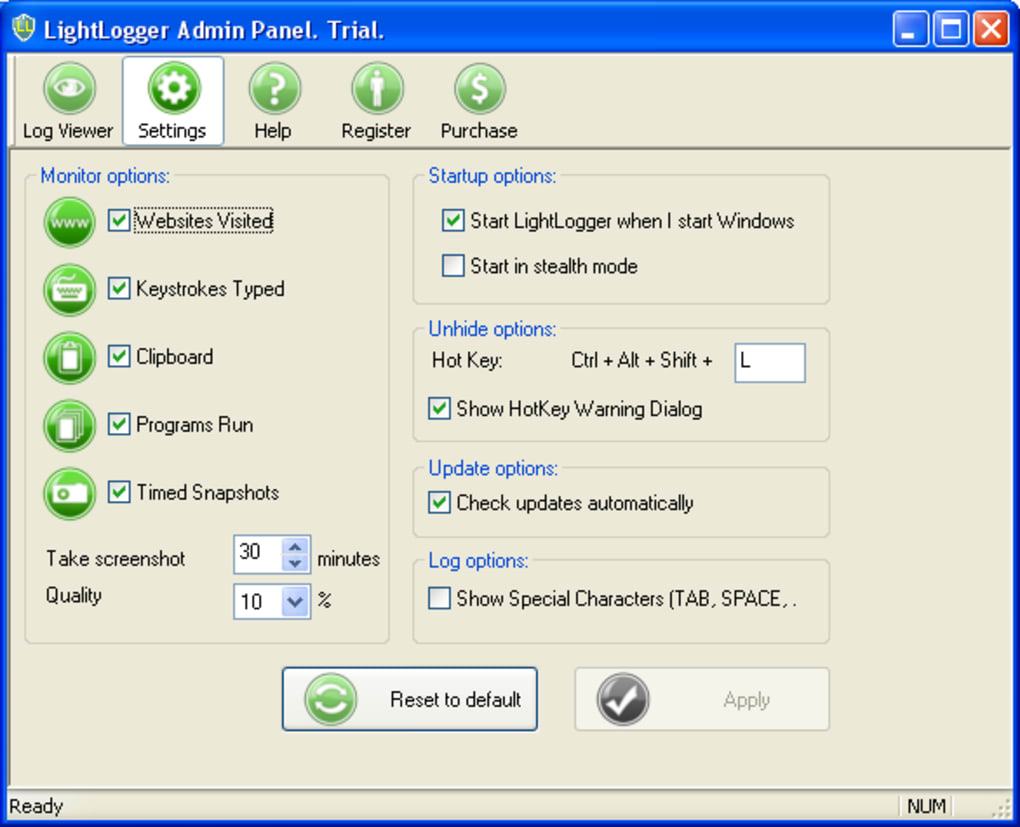
For visual verification, the tool includes automatic screenshot capture, configurable at intervals ranging from every few seconds to every few minutes. These snapshots provide context to the logged keystrokes and web activity, making it easier to understand what’s happening on the monitored device. The software also logs clipboard content, capturing copied text, links, and even passwords—useful for detecting sensitive data sharing.
Security is built into the core of LightLogger. All logs are encrypted and protected behind a custom password and hotkey, ensuring only authorized users can access the data. The tool supports multiple languages, as long as they’re installed on the system, making it suitable for multilingual households or international teams. With a trial version available, users can test all features before committing to a purchase, making it a low-risk investment for those new to monitoring software.
Installation & Usage: Simple, Fast, and Stealthy
Installing LightLogger Keylogger is a straightforward process, even for users with minimal technical experience. After downloading the software from the official website, simply run the installer and follow the on-screen prompts. During setup, you’ll be asked to set a secure password and customizable hotkey—this is critical for protecting your access to the logs. Choose a strong combination that’s easy for you to remember but hard for others to guess.
Once installed, LightLogger runs in the background with minimal system impact. It uses very little CPU and memory, so your device continues to perform smoothly. The software is designed to be invisible to users, meaning no icons, no taskbar entries, and no obvious signs of operation. This stealth mode is ideal for monitoring without alerting the user, especially in parental or workplace settings.
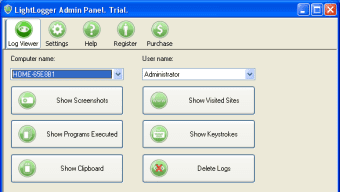
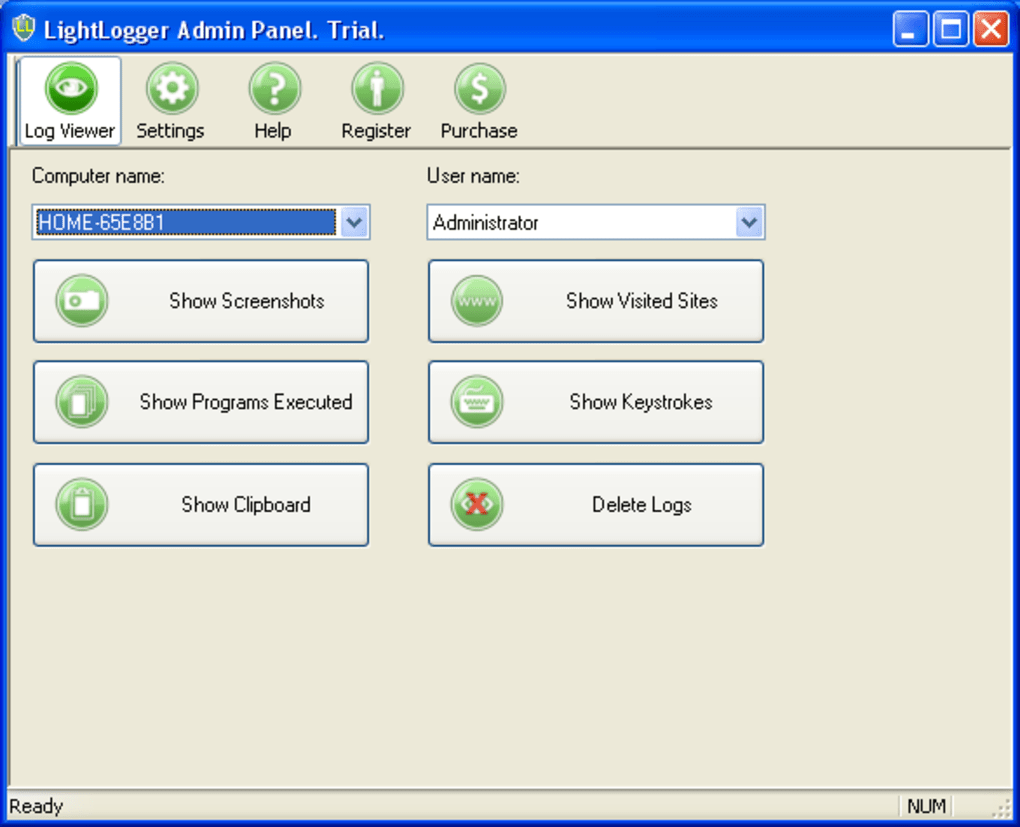
To access the logs, simply press your assigned hotkey and enter the password. The dashboard presents all recorded data in an organized, easy-to-navigate interface. You can filter logs by date, application, or website, and export reports in various formats for further analysis. The screenshot feature can be adjusted in frequency—set it to capture every 10 seconds for high surveillance or every 10 minutes for less intensive monitoring.
For users concerned about antivirus detection, it’s important to note that some security software may flag LightLogger as suspicious due to its stealth capabilities. To resolve this, you may need to whitelist the application in your antivirus settings. This is a common step with monitoring tools and ensures smooth installation and operation. After whitelisting, the software runs uninterrupted and continues logging activity silently.
Compatibility & System Requirements
LightLogger Keylogger is specifically designed for Windows operating systems, supporting a wide range of versions from Windows XP up to Windows 11. This broad compatibility ensures that the software can be deployed on older machines as well as modern systems, making it a versatile choice for both home and office environments.
While the software is currently only available for Windows, it’s optimized for performance across different hardware configurations. It requires a minimum of 512 MB RAM and 50 MB of free disk space, making it lightweight and suitable for devices with limited resources. The tool also works seamlessly with both 32-bit and 64-bit systems, ensuring broad accessibility.
For users who need to monitor multiple devices, LightLogger offers a multi-device monitoring solution through its premium plans. This allows you to manage logs from several PCs from a single control panel, which is ideal for businesses or families with multiple computers. The software does not support Mac, Android, or iOS at this time, so users on non-Windows platforms will need to explore alternative solutions.
Regular updates are released to improve performance, fix bugs, and enhance security. The developers are responsive to user feedback, and the update process is automatic, ensuring your version stays current without manual intervention. This commitment to ongoing development adds long-term value to the software.
Pros and Cons of LightLogger Keylogger
Pros
- Comprehensive monitoring – Captures keystrokes, websites, apps, clipboard, and screenshots.
- Stealth operation – Runs invisibly in the background with no visible traces.
- Multiple language support – Works with any language installed on the system.
- Secure access – Logs protected by password and hotkey, preventing unauthorized access.
- Easy to install and use – Intuitive setup with no technical expertise required.
- Free trial available – Test full features before purchasing.
Cons
- Windows-only – No support for Mac, iOS, or Android devices.
- Antivirus interference – May require whitelisting to install successfully.
- Privacy concerns – Should only be used for legal and ethical purposes.
- Limited mobile support – No official app for smartphones or tablets.
- Advanced features locked in trial – Some functionalities are restricted in the free version.
Frequently Asked Questions (FAQ)
Is LightLogger Keylogger safe to use?
Yes, LightLogger Keylogger is safe to use when deployed for legitimate purposes such as parental control or employee monitoring. The software is designed with strong encryption and secure access controls. However, it should never be used to spy on others without consent, as this may violate privacy laws in many countries.
Can I use LightLogger on multiple computers?
Yes, LightLogger offers multi-device monitoring through its premium subscription plans. You can install the software on several Windows PCs and manage all logs from a single online dashboard, making it ideal for families or businesses.
Does LightLogger work with antivirus software?
While LightLogger is designed to run stealthily, some antivirus programs may flag it as suspicious. To ensure smooth installation, you may need to whitelist the application in your antivirus settings. Once whitelisted, the software operates without interference.
How often can I set screenshots to be taken?
You can configure screenshot frequency to capture images every 10 seconds, 30 seconds, 1 minute, or longer—depending on your monitoring needs. This flexibility allows you to balance surveillance intensity with system performance.
Is there a free version of LightLogger?
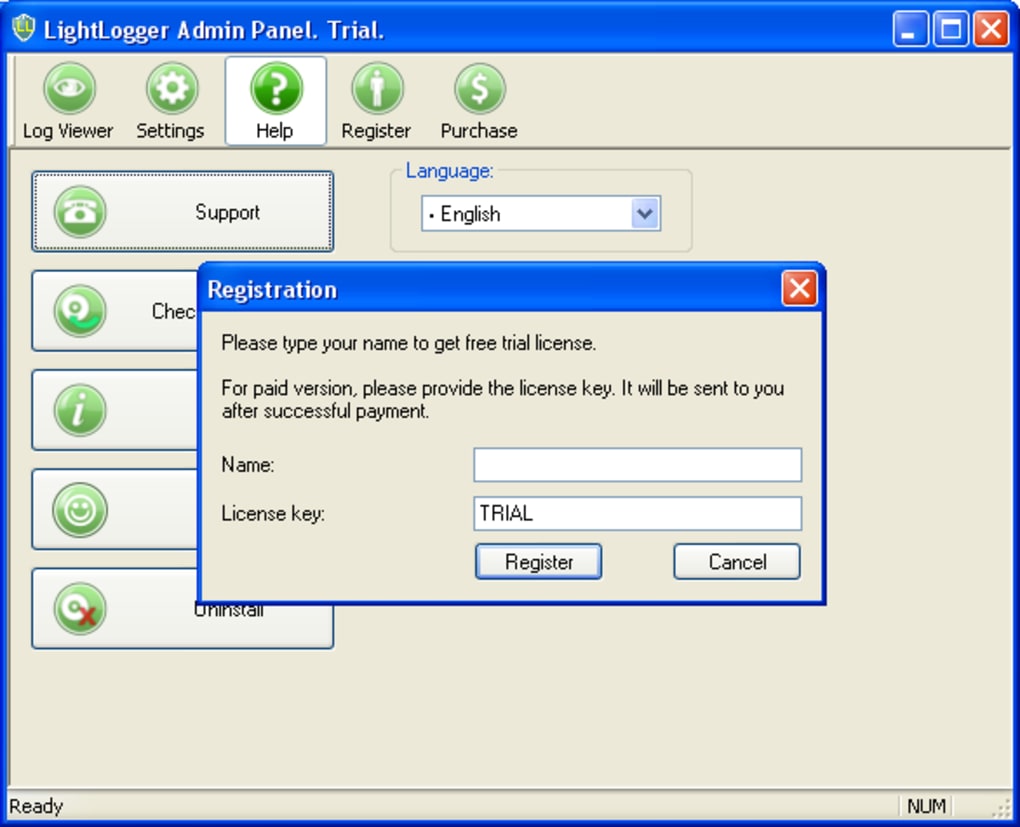
Yes, LightLogger offers a fully functional free trial that allows you to test all features before purchasing. The trial version includes full access to keystroke logging, screenshots, website tracking, and more, giving you a complete experience of the software.
Conclusion: A Reliable Choice for Digital Monitoring
If you're looking for a secure, easy-to-use, and comprehensive keylogger for Windows, LightLogger Keylogger is a top contender. Its ability to capture keystrokes, websites, applications, clipboard data, and screenshots makes it one of the most complete monitoring tools available. The stealth mode ensures it remains undetected, while strong password protection keeps your data safe.
Whether you're a parent wanting to ensure your child’s online safety or an employer aiming to boost team productivity, LightLogger delivers real value. With a free trial, regular updates, and excellent support, it’s a low-risk way to gain full visibility into digital activity.
Download LightLogger Keylogger today and take control of your digital environment with confidence. Remember to use it responsibly and ethically—only for legitimate purposes and with proper consent where required.







